
Ever had a situation where you would need to check emails from a particular service that is available only via email and on top of it, you need to forward that email time every time to your colleagues? This for sure involves a lot of context switching because of switching between slack and emails.
So, what if I told you that you can just automate this part via slack channels. Yeah, you heard it right. You can use your slack channels to receive emails.
Here’s how to automatically receive emails in slack channels
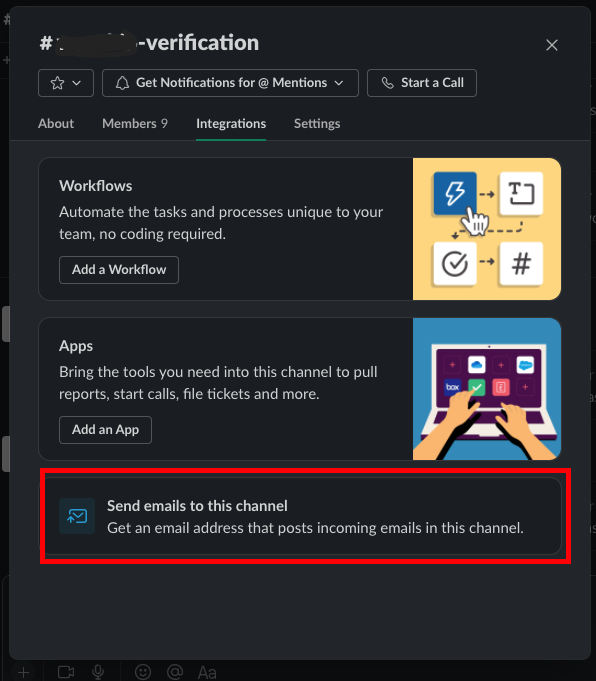
1. Go to your slack channel and navigate to Integrations sections and get the channel email. (Every channel has it) .
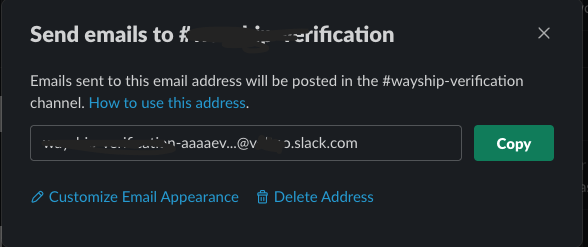
2. Go to your email (Gmail) settings and forward all those recurring emails from your service provider to this slack channel.
That’s it. You will now get all those emails into your slack channel. Now, you don’t have to switch between slack and emails.
I hope you liked it, subscribe for more content. I share my experiences here.